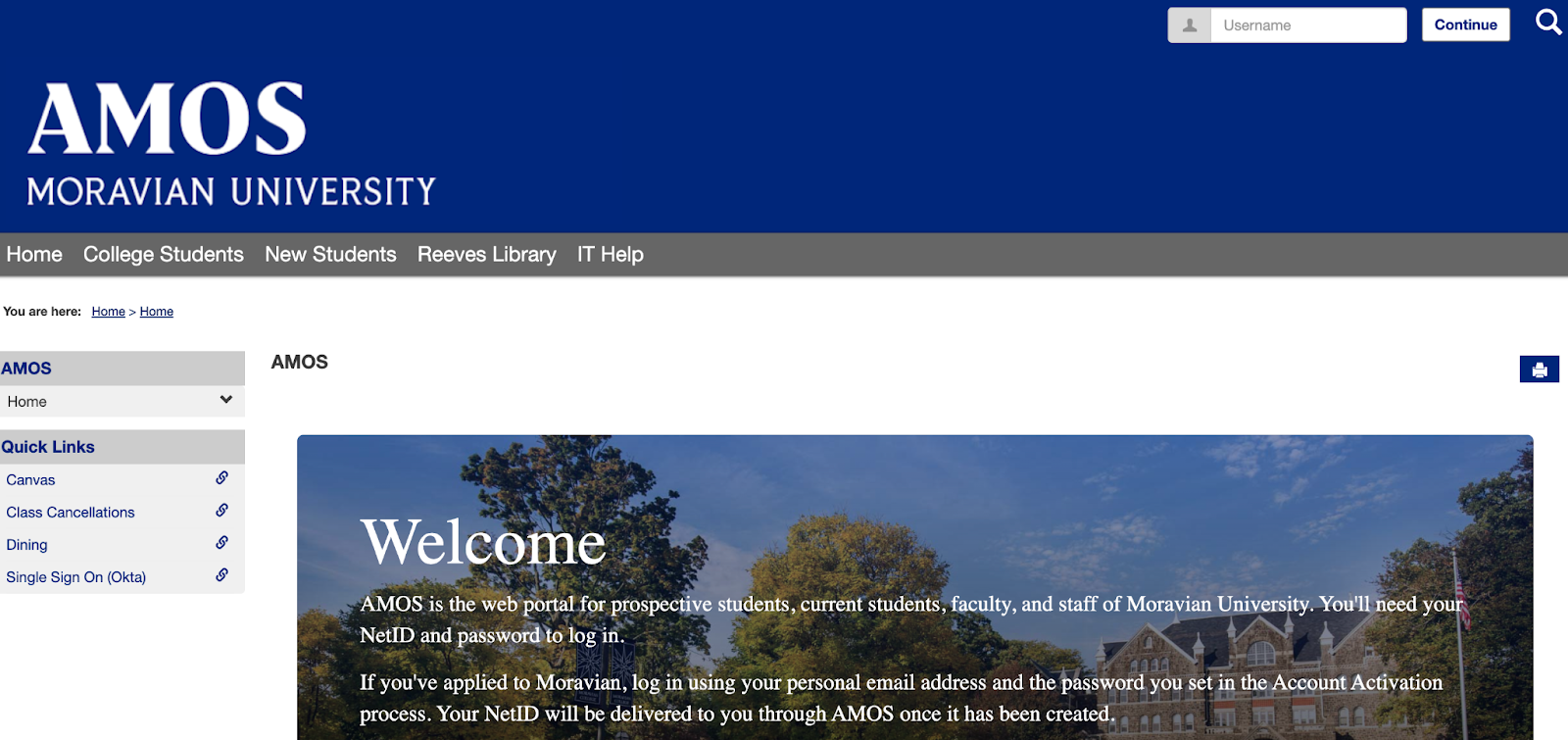
AMOS Activation With PIN
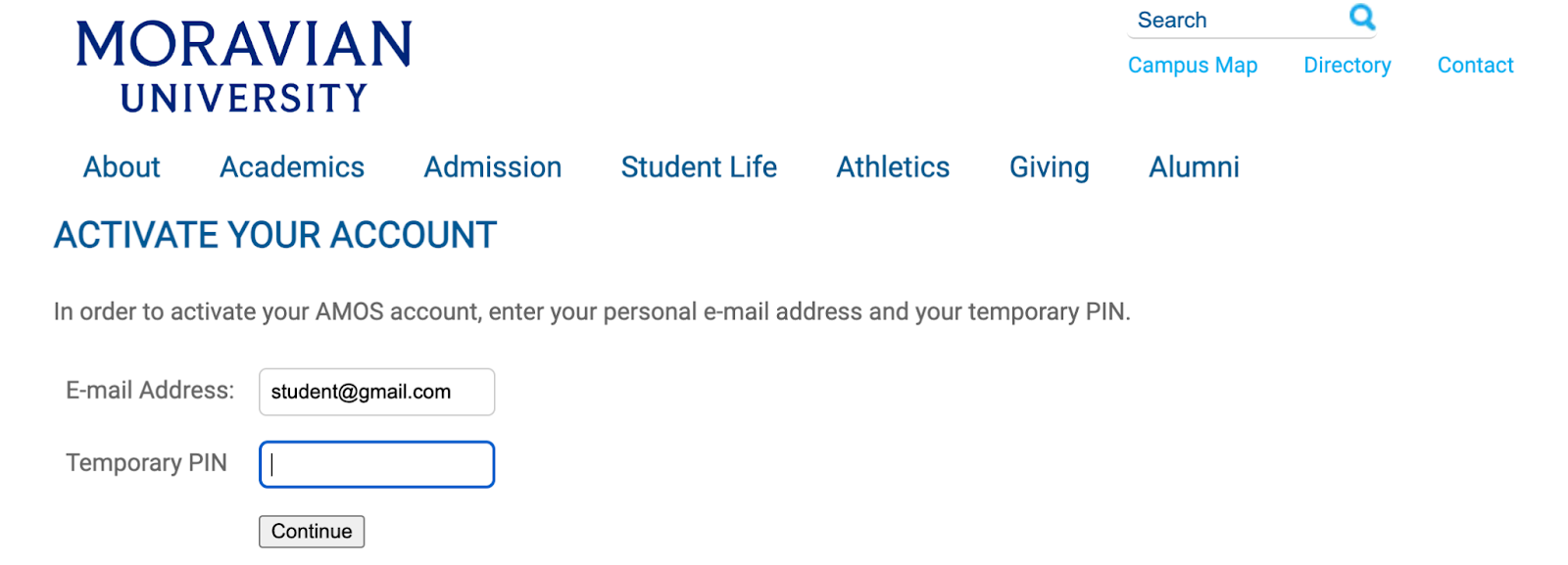
The student receives an email to their personal email address with a PIN and link to activate their AMOS account. When they click the link, they will see the following screen:
The student enters the PIN from the email and clicks the “Continue” button.
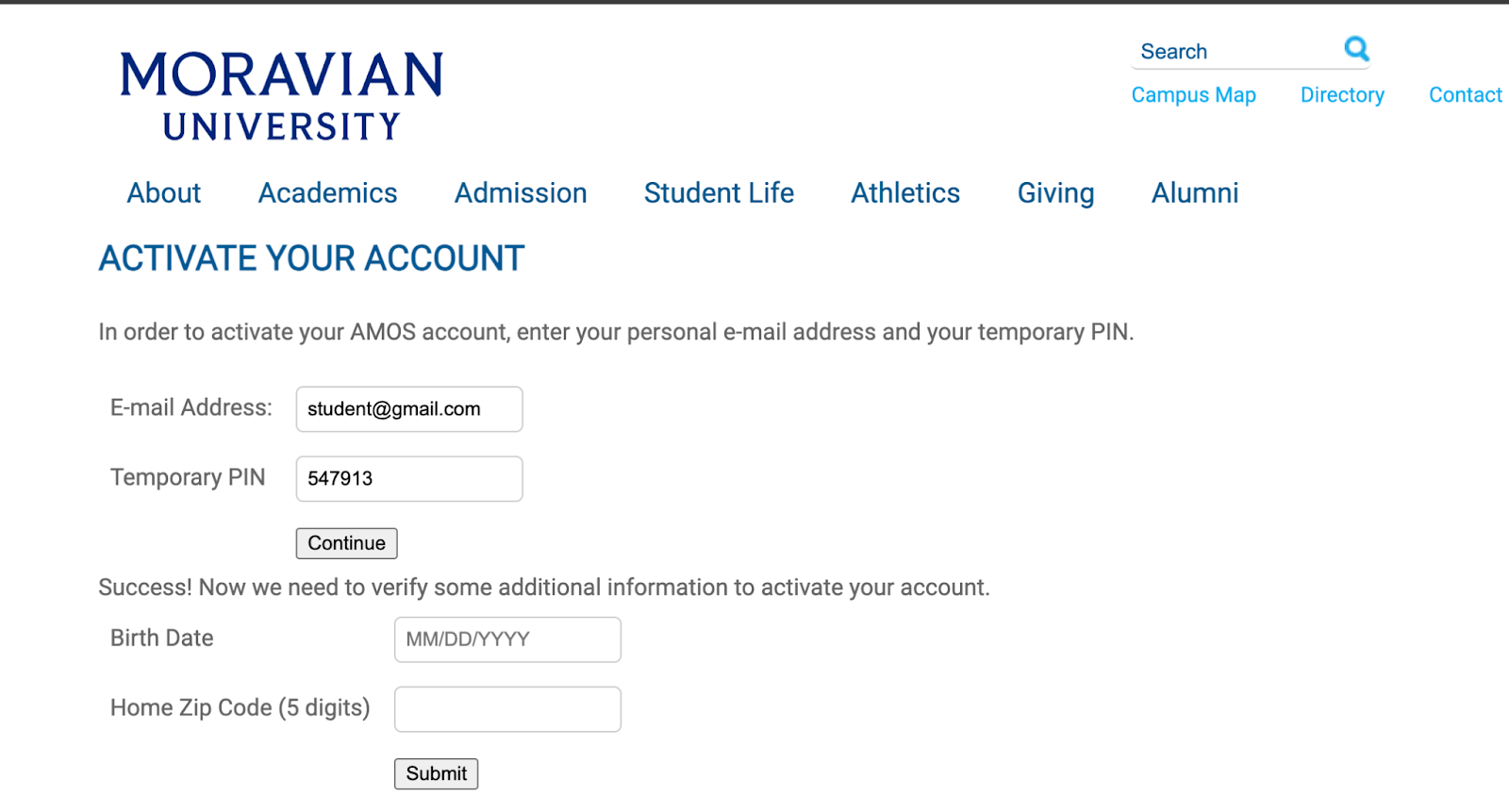
NOTE: For international undergrad students, country of birth is used as a validation point instead of Zip code.
The student enters validation information and clicks “Submit”
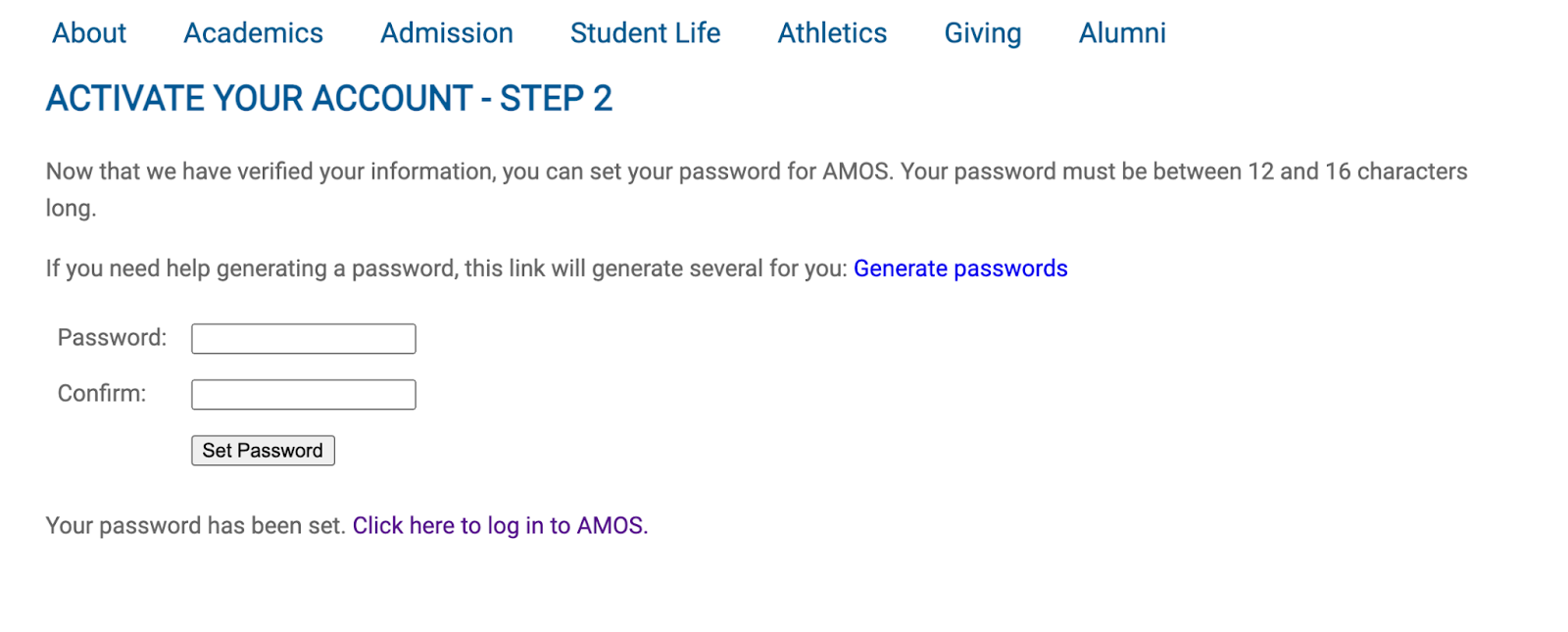
The student enters/confirms a password between 12 and 16 characters long and clicks “Set Password” which will bring up a link that they can use to log in to AMOS.
The student clicks the link and logs in to AMOS with the same personal email address and password they just set.